

Key Takeaways
- 24/7 Learner Autonomy: Self-service lets course students enroll, pay, track lessons, and download certificates on their own schedule without waiting on creator or support replies; it’s Student Self-Service.
- Higher Completion & Retention: Removing small friction points—like confusing checkout flows, locked lessons, or missing resources—keeps learners moving forward instead of dropping off or requesting refunds.
- Time Freedom for Creators & Teams: Automating routine tasks like receipts, password resets, progress tracking, and common FAQ answers frees instructors to focus on teaching, curriculum quality, and community building.
- Smart Balance of Automation & Support: Great LMS self-service handles the routine 80% of learner needs automatically while keeping a clear path to human help for complex questions or exceptions.
Think about how a learner moves through the rest of their digital life. They can join a workspace in one click, download a digital file at midnight, check order history on their phone, and get instant answers from a help assistant. Then they enroll in an online course—and suddenly they have to send a direct message just to get an invoice, ask where to find a bonus worksheet, wonder why a lesson has not unlocked, or wait two days for a completion certificate.
That gap between everyday digital convenience and clunky course administration explains why student self-service is gaining momentum across online courses, digital academies, and Learning Management Systems (LMS).
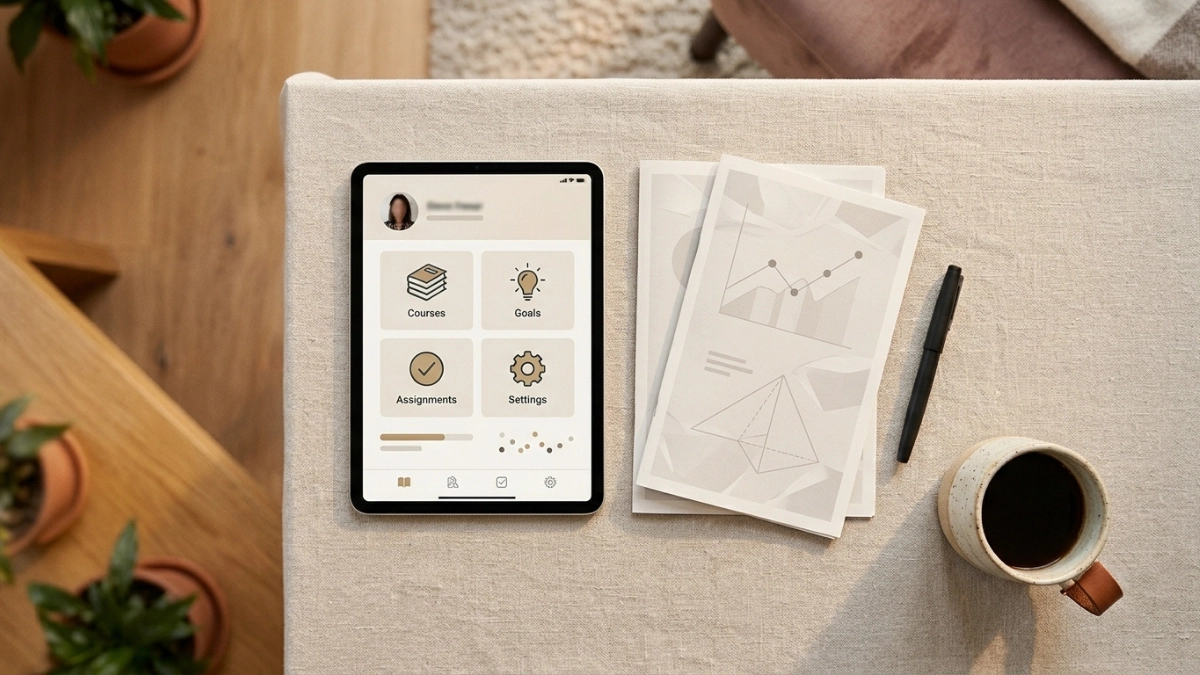
In an online learning context, student self-service means giving learners intuitive dashboards, mobile-friendly portals, automated workflows, and self-guided tools so they can manage their learning experience independently—anytime, from any device. Whether you run an independent digital academy on an LMS or manage a multi-instructor learning hub, self-service is no longer just a minor convenience. It directly shapes how learners experience your brand, how much time you spend in your inbox, and how sustainably your academy can scale.
Why Student Self-Service Is Trending in Online Education & LMS Platforms
Online learning has moved well beyond basic video hosting. Learners and course creators alike are responding to shifting schedules, higher usability standards, and heavier operational demands.
Learners Expect Consumer-Grade Speed Inside Their Course Hub
Today’s students do not judge an online course against an outdated school portal; they compare it to the smoothest digital tools they use every day. When logging in feels complicated, locating past lessons takes too many clicks, or checking billing details requires emailing support, learners feel friction right away. Clear, predictable self-service makes even a small or independent course feel organized, credible, and professional.
Asynchronous Learning Requires Asynchronous Administration
People choose online courses because learning fits around work, family commitments, study routines, and different time zones. A student reviewing modules late at night or over the weekend should not hit a roadblock simply because nobody is online to manually send a link, confirm enrollment access, or issue a receipt. Self-service aligns administration with the flexibility that makes online learning work.

Less Friction Means Better Course Completion and Fewer Refunds
Momentum is fragile in both self-paced and cohort-based courses. When a student gets stuck on a technical snag, an unclear onboarding step, or a billing question and has to wait for an answer, early enthusiasm can turn into frustration—and eventually into course abandonment or a refund request. Self-service keeps learners moving forward by giving them immediate clarity and control over their next step.
Protecting Creators and Teams from Inbox Overload
For solo course creators, educators, and lean academy teams, focused time is the scarcest resource. Answering the same handful of questions in direct messages or support emails every day pulls energy away from lesson design, student feedback, and resource creation. When routine operational steps run automatically, creators reclaim hours every week without lowering learner care.
The 4 Pillars of Student Self-Service for Online Courses & LMS Hubs
A strong self-service setup supports the entire learner lifecycle—from the moment someone enrolls to the moment they complete the program and earn recognition.
| Pillar | What Students Can Do Independently | Concrete Course / LMS Examples | Impact on Your Academy |
| 1. Frictionless Onboarding & Access | Activate accounts immediately after purchase, follow a welcome checklist, and access lessons right away. | Instant login delivery, clear “Start Here” onboarding steps, and self-paced orientation checklists. | Reduces post-checkout confusion and gets students into Lesson 1 while motivation is highest. |
| 2. Self-Paced Learning & Progress | Track completed modules, download worksheets/templates, revisit notes, and earn certificates on demand. | Visual progress bars, one-click resource downloads, quiz/assignment status views, and auto-generated certificates. | Helps learners stay organized and gives them tangible proof of progress and completion. |
| 3. Transparent Billing & Account Controls | View purchase history, download invoices/receipts, update account/profile info, and manage plans. | Instant downloadable receipts for personal or business/employer expense claims and self-managed profile details. | Reduces repetitive billing emails and builds trust through clear self-serve records. |
| 4. 24/7 Answers & Smart Guidance | Search clear help guides, get instant policy/course answers via AI or knowledge bases, and book help when needed. | Clear answers on course access, prerequisites, deadlines, or refund rules—plus an easy way to contact support when stuck. | Resolves common questions around the clock while keeping support focused on real exceptions. |

1. Frictionless Onboarding and Immediate Access
The first few minutes after enrollment shape how confident a student feels before the first lesson begins. When learners can log in smoothly, spot an obvious starting point, and complete a short setup checklist on their own, they begin with clarity rather than sending “Where do I log in?” messages.
2. Autonomous Learning, Resources, and Certificates
Inside an LMS or course portal, learners progress more smoothly when they do not have to hunt for materials or wait for manual approvals on routine milestones. Clear lesson checklists, organized downloadable files (such as worksheets, guides, or templates), visible progress tracking, and instant certificates once requirements are met give students genuine ownership of their learning.
3. Self-Serve Billing, Receipts, and Profile Management
Learners frequently need a payment receipt for their records, reimbursement, or accounting—or want to update their name or email address. Giving them direct access to their account and billing history cuts out routine back-and-forth while keeping payment workflows clean and reliable.
4. 24/7 Help, Policy Clarity, and Guided Support
Even well-structured courses generate recurring questions about pacing, downloads, prerequisites, or policies. A clear help center, well-organized course FAQs, or an AI assistant grounded in your actual course rules can answer routine questions immediately—while routing edge cases directly to you or your support team.
Legacy Portals vs. Modern LMS Self-Service Hubs
Many platforms technically offer a login screen, yet still leave students doing extra legwork. Comparing legacy setups with modern self-service hubs highlights where friction hides.
From Clunky Pages to Mobile-First Learning
Many learners check lessons, review notes, or look up course details on their phones during breaks or commutes. A mobile-first layout with clean spacing, legible typography, and easy-to-tap controls makes self-service work reliably across screen sizes.
From Passive Dashboards to Helpful Nudges
Passive portals wait for a student to remember what to do next. Modern learning hubs and automated workflows can guide learners proactively—such as reminding them where they left off, surfacing upcoming deadlines or session times, or recognizing module milestones to sustain momentum.
4 Best Practices for Implementing Self-Service in Your Course or LMS
Building effective self-service does not require an enterprise software budget. It comes down to clear structure, plain communication, and thoughtful support boundaries.
Keep Logins Simple and Navigation Unified
If students have to jump between disconnected pages, vague menus, or separate logins just to find their course, downloads, and account settings, self-service breaks down. Keep navigation predictable, use plain labels, and make it easy to move between the learner dashboard, lessons, and resources.
Design for Clarity, Accessibility, and Multilingual Learners
Clear microcopy is one of the highest-return self-service improvements you can make. Write short, plain instructions for every button, download, and checklist step, maintain strong visual contrast and screen-friendly structure, and—when your learners span multiple languages—offer clear multilingual labels, guides, or navigation where helpful so language never creates an unnecessary barrier.
Always Leave an Easy Path to Human Support
Automation should assist learners, never trap them. Make sure students dealing with a technical issue, an accessibility need, a special enrollment request, or a personal situation can reach a real person without hitting dead ends.
Start with Your Top Repeatable Workflows and Measure
Pick the most frequent operational requests you handle right now—such as onboarding steps, worksheet access, certificate delivery, or common policy questions—and streamline those first. Track practical signals over time:
- Repeated inquiry volume: Are you receiving fewer routine messages about the same basic steps?
- Onboarding & lesson completion: Are more students starting and finishing modules smoothly?
- Time to answer / resolution: How quickly do students get what they need?
- Learner feedback: Are learners finding the platform straightforward to navigate, or asking where key items live?
Step-by-Step Checklist for Rolling Out Course & LMS Self-Service
Use this sequence to audit, build, and refine self-service workflows step by step:
- Audit your repetitive questions: Review the last 30–90 days of emails, DMs, comments, and support messages to list the recurring questions and requests you answer most often.
- Rank by impact and effort: Choose 2–3 high-frequency, straightforward workflows to address first (such as welcome steps, resource downloads, receipts, or certificates).
- Map the learner’s clicks: Trace every step a student takes from start to finish and remove confusing detours, hidden links, or extra manual steps.
- Unify the learner hub: Organize dashboards, menus, and account access so students can locate courses, materials, and account details without guesswork.
- Test on mobile and check clarity: Walk through the full flow on a smartphone and review all labels, instructions, and multilingual elements for plain, clear wording.
- Automate confirmations, reminders, and answers: Set up instant confirmations, automated milestones or certificates, helpful reminders, and clear self-serve answers for common policies.
- Set up human escalation: Provide a clear, visible way for learners to contact you or your support team when a situation requires personal judgment.
- Pilot, measure, and iterate: Test with a small group of learners or new enrollees, note where anyone hesitates, track drops in routine inquiries, and refine monthly.
Conclusion
Student self-service is reshaping online courses and LMS platforms because it improves the day-to-day learning experience while giving educators and creators back their time and focus. When learners can handle routine logistics and find answers independently, they spend less effort figuring out how the platform works—and more effort mastering the material.
For a practical starting point today, review the last ten student messages you answered: which one took under two minutes to reply to, yet keeps coming up? Turn that exact answer or step into a clear, self-serve resource right where students need it.