


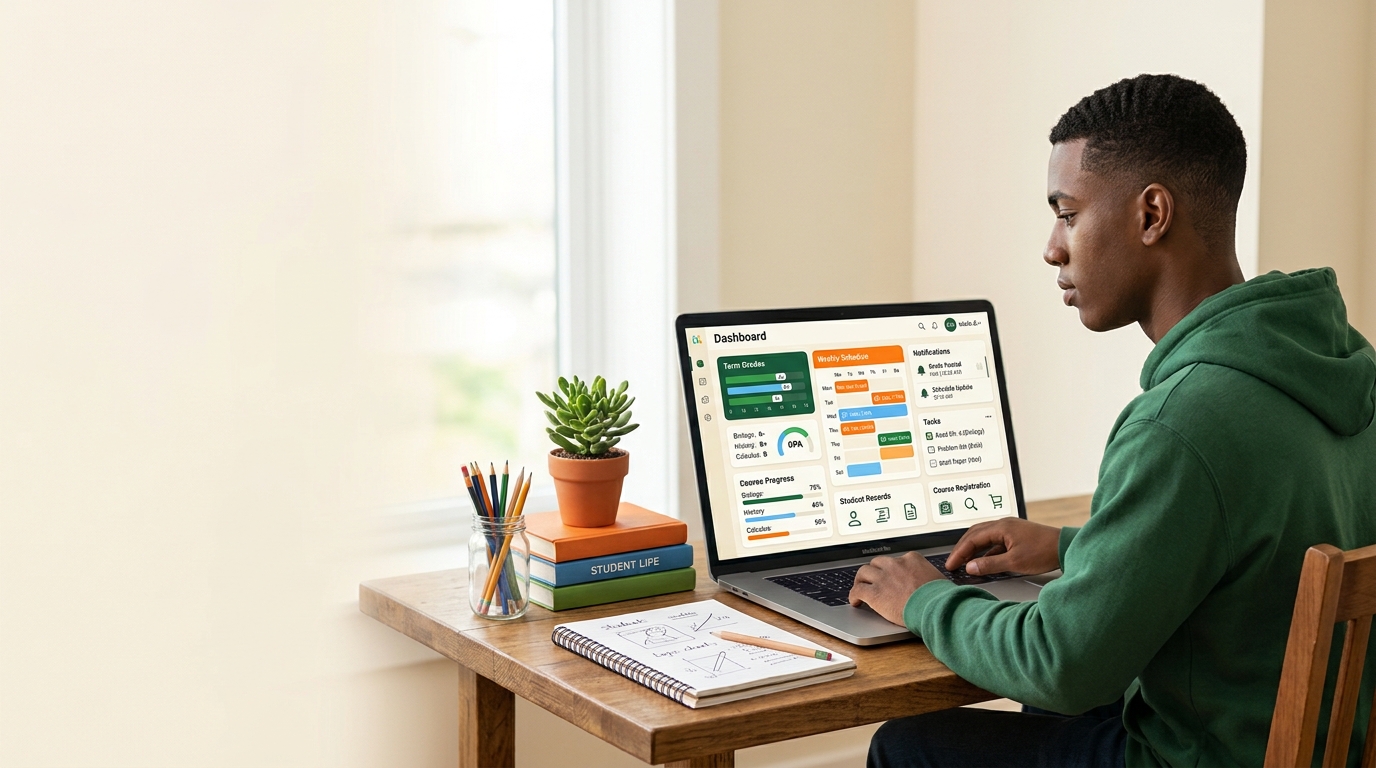
Education is becoming increasingly digital (student self serve) . Today, students do more than attend classes, complete assignments, and take examinations. They also use online platforms to access important academic information, manage their student records, check schedules, and communicate with their educational institutions.
One important digital service supporting this change is the Student Self-Service Portal.
Many schools, school districts, colleges, and universities provide online portals that allow students to access and manage selected academic and personal information without needing to visit an administrative office for every request.
But what exactly is a student self-service portal? How does it work? What information can students access? And why are educational institutions using these systems?
In this complete guide, we will explore everything you need to know about student self-service portals, their main features, benefits, challenges, and their role in modern education.
Table of Contents
- What Is a Student Self-Service Portal?
- How Does a Student Self-Service Portal Work?
- What Can Students Do Through a Self-Service Portal?
- Main Features of Student Self-Service Portals
- Benefits for Students
- Benefits for Schools and Universities
- Student Self-Service Portals for Parents and Families
- Examples of Student Self-Service Portals
- Student Self-Service vs. Traditional School Administration
- Student Self-Service vs. Learning Management Systems
- Common Challenges and Security Considerations
- How to Use a Student Self-Service Portal
- The Future of Student Self-Service
- How Students Can Stay Organized Outside Their Portal
- Frequently Asked Questions
1. What Is a Student Self-Service Portal?
A Student Self-Service Portal is an online platform provided by a school, school district, college, or university. It allows students to view and manage certain parts of their academic records and personal information through a secure login.
Instead of contacting the administration for every basic request, students can use the portal to access available services themselves.
Depending on the institution, a student self-service portal may allow users to:
- View grades and examination results.
- Check class schedules.
- Register for courses.
- Review academic records.
- Update contact information.
- View attendance information.
- Access enrollment details.
- Download official documents.
- Review tuition fees or payment information.
- Check financial aid information where available.
The exact services depend on the institution and the software it uses.
For example, a university may provide a portal where students can manage registration, examination entries, results, fees, and graduation ceremony bookings. A school district may offer a different system focused on student information and family services.
In simple words: A student self-service portal is a digital place where students can access important school or university information and complete selected administrative tasks online.
2. How Does a Student Self-Service Portal Work?
Most student self-service portals follow a straightforward process.
The educational institution creates or provides access to an online system connected to its student information database. Each authorized student receives login credentials or another approved method of authentication.
After signing in, the student sees the services and information available to their account.
Here is how the process generally works.
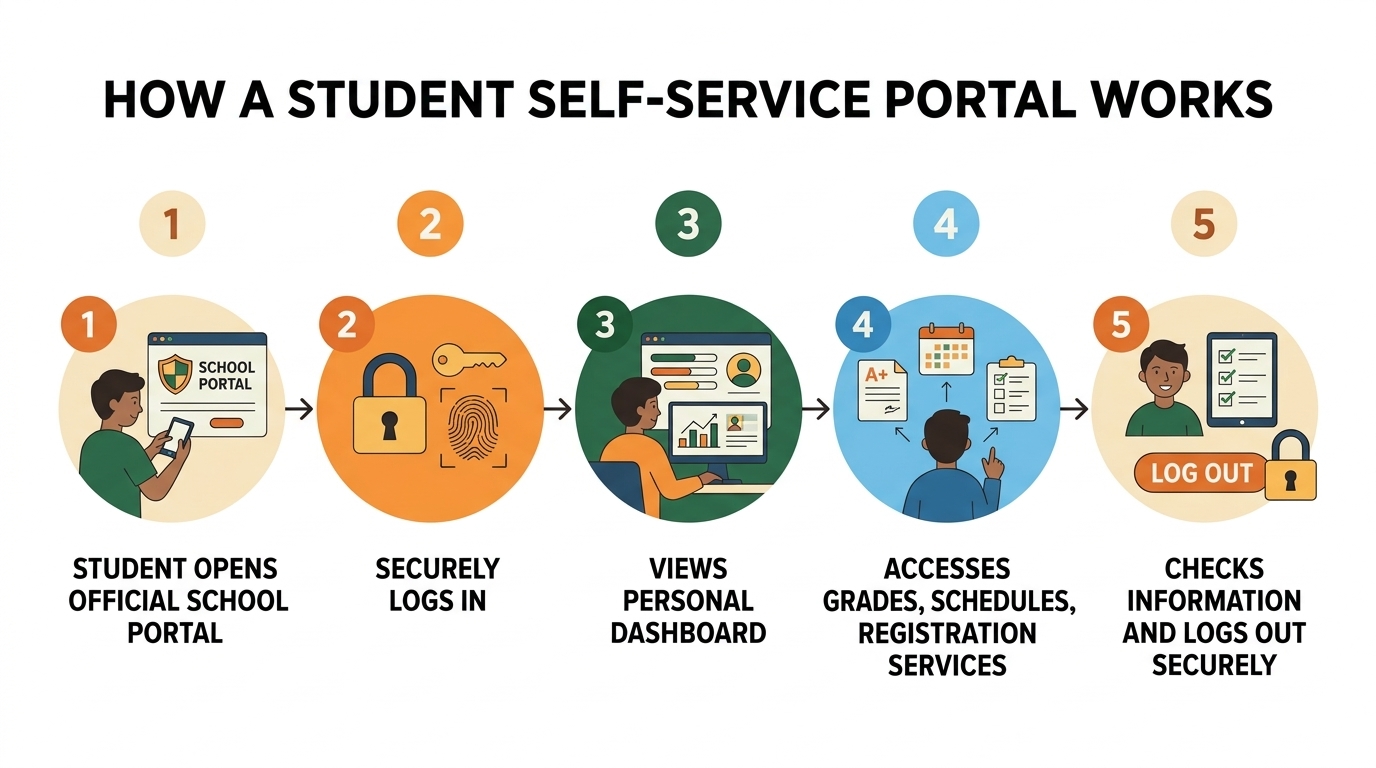
Step 1: The Institution Provides Access
The school or university gives students instructions for accessing its official portal.
Students may receive:
- A student identification number.
- A username.
- A temporary password.
- An activation code.
- Instructions for creating an account.
- A link to the official login page.
Some institutions use a single sign-on system, allowing students to access several university services with one account.
Step 2: The Student Logs In
The student opens the institution’s official portal and enters the required login information.
Some systems may also require additional verification, such as a security code or an authentication application.
Students should always make sure they are using the official website provided by their institution.
Step 3: The Student Opens the Dashboard
After successful login, the portal usually displays a dashboard or navigation menu.
Depending on the platform, it may include sections such as:
- My Profile
- Academic Records
- Grades
- Course Registration
- Class Schedule
- Financial Information
- Enrollment
- Student Services
The dashboard helps students find the information they need.
Step 4: The Student Selects a Service
Students choose the section they want to use.
For example, they may open the grades section to view available examination results or select the registration section to complete an academic registration task.
Some information is available for viewing, while other services allow students to submit changes or requests.
Step 5: The System Updates or Displays Information
The portal retrieves information from the institution’s systems.
When students submit an authorized update, the system may save the change automatically or send it for administrative approval.
Not every change is immediate. Some requests require verification or processing by school or university staff.
Step 6: The Student Logs Out
After completing their tasks, students should sign out, particularly when using a shared computer.
This helps protect personal and academic information.
3. What Can Students Do Through a Self-Service Portal?
The available services vary between institutions, but many portals include several important categories.
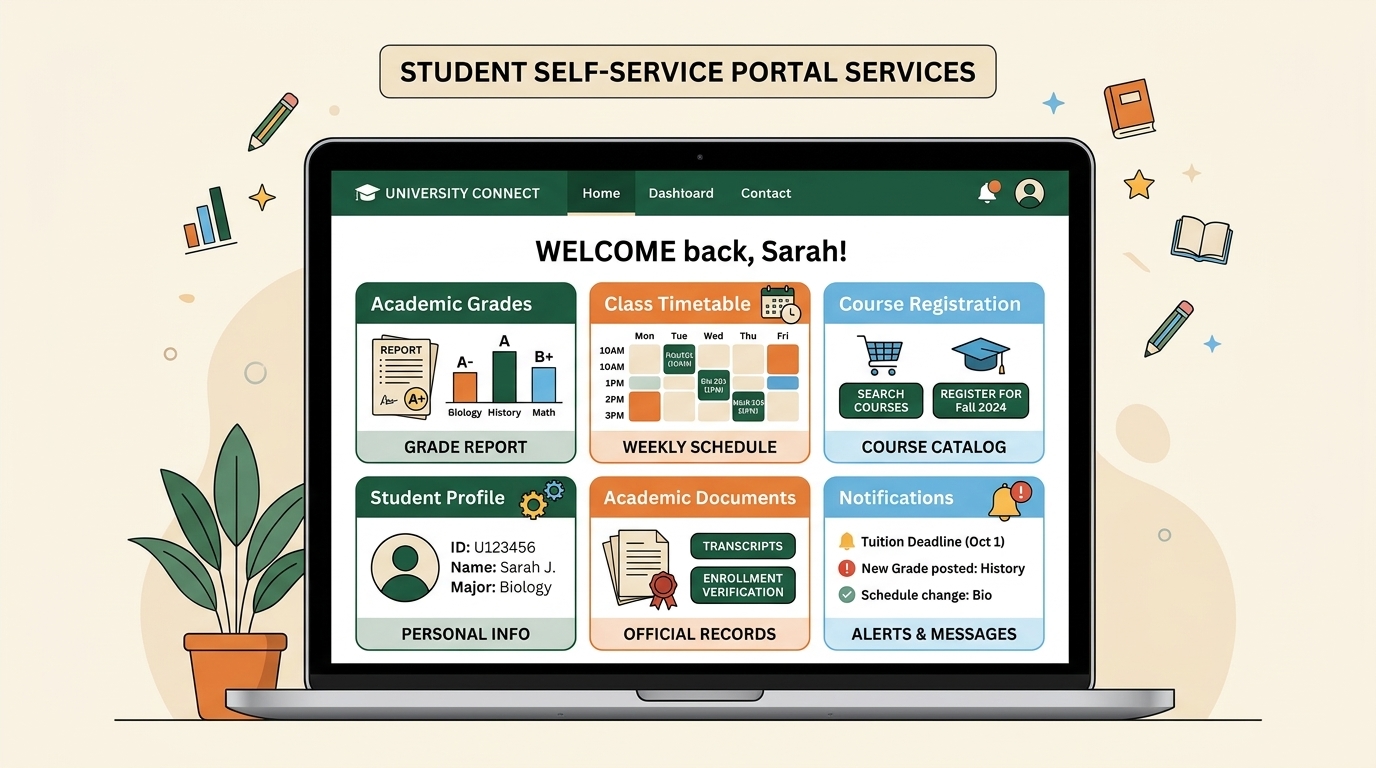
A. View Grades and Examination Results
One of the most useful features is access to academic results.
Students may be able to:
- View examination grades.
- Check course results.
- Review available assessment records.
- Track academic progress.
- View previous results.
- Access grade reports where provided.
This makes it easier for students to stay informed about their academic performance.
However, not every portal displays results immediately. Institutions decide when results become available.
B. Check Class Schedules
Students can use their portals to review their academic timetables.
A schedule may include:
- Course names.
- Class dates.
- Starting and ending times.
- Classroom locations.
- Instructor information.
- Examination schedules.
Having this information online can help students plan their school or university routines.
C. Register for Courses
Some university self-service portals allow students to register for courses or manage their course selections.
Depending on the institution, students may be able to:
- Browse available courses.
- Select courses.
- Review registration requirements.
- Check registration status.
- Add or drop eligible courses.
- View their registered classes.
Registration rules differ between universities, and some actions may require academic approval.
D. Manage Personal Information
Keeping personal information accurate is important for communication between students and their institutions.
Some portals allow students to review or update details such as:
- Phone numbers.
- Email addresses.
- Home addresses.
- Emergency contact information.
- Other permitted profile details.
Certain changes may require approval or supporting documents.
E. Access Enrollment Information
Students may be able to check whether their registration or enrollment has been completed.
Some systems also provide downloadable enrollment certificates or documents confirming student status.
These documents may be useful when an institution, organization, or service requests proof of enrollment.
F. Review Financial Information
Some higher education portals include financial services.
Depending on the university, students may be able to:
- Review tuition and fee information.
- Check outstanding balances.
- View financial aid details.
- Review payment records.
- Access billing statements.
Payment options and financial information are not available in every student portal.
G. Access Academic Documents
Certain portals provide access to downloadable documents.
Examples include:
- Academic transcripts.
- Enrollment certificates.
- Grade reports.
- Registration confirmations.
- Other official student documents.
Some documents may be available immediately, while others must be requested from the administration.
H. Review Attendance Information
Some school and university systems provide attendance information.
Students or authorized parents may be able to review recorded attendance, depending on the institution’s system and access permissions.
If information appears incorrect, students should contact the appropriate school office rather than assuming that the portal record can be changed independently.
4. Main Features of Student Self-Service Portals
Although every platform is different, several features are commonly found in these systems.
Secure Login
The login system controls access to personal and academic information.
Institutions may use passwords, student identification numbers, single sign-on, or additional verification methods.
Student Dashboard
The dashboard acts as the main starting point.
It brings together important services and helps students navigate the platform.
Academic Records
This section provides access to available student records, such as grades, course information, and academic history.
Registration Management
Some systems allow students to complete registration tasks and manage course selections.
Personal Profile Management
Students can review or update information that the institution allows them to manage.
Document Access
Some portals allow students to download certificates, reports, and other academic documents.
Notifications and Announcements
Certain systems display messages about registration periods, deadlines, academic updates, and other important information.
Help and Support
Institutions may provide support pages, manuals, frequently asked questions, or contact details for technical assistance.
A well-organized portal makes these features easier to find and use.
5. Benefits of Student Self-Service Portals
Student self-service portals can make administrative processes more convenient for students and educational institutions.
Here are some of their main advantages.
1. Easier Access to Information
Students can access available academic information online instead of visiting an administrative office for every basic question.
This can be particularly useful when students need to check a schedule, review a result, or confirm their registration.
2. More Convenient Administrative Services
When a portal allows students to complete selected tasks online, it can reduce the need for paper forms and repeated office visits.
Students can complete eligible tasks from a computer or mobile device.
3. Better Student Organization
Access to schedules, registration information, and academic records can help students organize their responsibilities.
For example, students can use their portal to check important dates and then add those dates to a personal calendar or planner.
4. More Control Over Personal Information
When institutions allow it, students can review and update certain personal details themselves.
This can help keep records accurate and communication information up to date.
5. Faster Access to Available Results
When examination results are published through the portal, students can view them online without waiting for printed reports.
The actual publication time is still determined by the institution.
6. Reduced Administrative Work
Online self-service options can help administrative teams manage routine requests more efficiently.
Staff may have more time to focus on requests that need individual attention.
7. Access Beyond the School Office
Online portals can often be accessed outside normal office hours.
This means students may be able to review information or complete available tasks when it is convenient for them.
Access still depends on system availability and scheduled maintenance.
6. Benefits for Schools and Universities
Student self-service portals are not only useful for students. They can also support the work of educational institutions.
More Organized Student Information
A centralized system can help institutions organize student records and provide authorized users with access to relevant information.
Fewer Repeated Administrative Requests
When students can find answers and complete routine tasks through a portal, administrative teams may receive fewer basic inquiries.
Improved Communication
Some portals provide announcements, reminders, and important administrative messages.
This can make it easier for institutions to share information with students.
More Efficient Processes
Digital registration, online document requests, and electronic record management can help reduce some paper-based processes.
Better Access to Information for Authorized Staff
Depending on their permissions, teachers, advisors, and administrative employees may access the information required for their responsibilities.
Access should always be limited to appropriate users.
7. Student Self-Service Portals for Parents and Families
Parents and guardians also play an important role in education.
Some educational institutions provide separate parent portals or family access features. These services are related to student self-service systems, but they are not necessarily the same thing.
A parent portal may allow authorized family members to:
- View student attendance.
- Check grades.
- Review school announcements.
- Access schedules.
- Receive important notifications.
- Review selected academic information.
- Communicate with the school.
The available features depend on the school or district.
Why Are Parent Portals Useful?
Parent portals can help families stay informed about a child’s educational progress.
They can also make communication between schools and families more convenient.
However, students’ personal information must be protected. Institutions should provide access according to their policies, applicable laws, and the age of the student.
8. Examples of Student Self-Service Portals
Different educational institutions use different systems. Looking at real examples helps explain how student self-service works in practice.
The following examples illustrate different approaches.
Example 1: University of Oxford — Student Self Service
The University of Oxford provides a Student Self Service platform for students to access and manage information related to their student records.
Its official guidance describes services involving:
- Registration.
- Enrollment.
- Examination entries.
- Examination results.
- Fees.
- Degree ceremony bookings.
- Personal student information.
- Enrollment certificates.
Oxford students access the system using their university Single Sign-On credentials.
The university also provides guidance and a student manual to help users understand the system.
Official website: https://www.ox.ac.uk/students/academic/guidance/student-self-service
Example 2: University of Illinois System — Self-Service
The University of Illinois System provides a Self-Service platform that gives students access to personal and academic information.
According to its official website, students can use the system to:
- Register for classes.
- View class schedules.
- Pay fees.
- View financial aid information.
- View grades and transcripts.
- Update contact information.
The platform also describes separate self-service access for faculty, advisors, and employees.
Official website: https://apps.uillinois.edu/selfservice
Example 3: Beaumont Independent School District — Student Self Serve
Beaumont Independent School District provides a Student Self Serve resource for its school community.
School districts may use self-service systems to provide students and families with access to selected school-related information.
The exact features and access instructions should always be checked through the district’s official website.
Official website: https://www.bmtisd.com/family/for-students/student-self-serve
What Do These Examples Have in Common?
Although these institutions serve different types of students, their platforms demonstrate the same general idea: digital access to selected educational information and administrative services.
However, their features, login systems, and user permissions are not identical.
A student should always follow the instructions provided by their own school or university.
9. Student Self-Service vs. Traditional School Administration
Before online portals became common, many administrative tasks depended on paper forms, office visits, phone calls, or emails.
Digital self-service systems offer another way to complete some of these tasks.
| Traditional Administration | Student Self-Service Portal |
|---|---|
| Visit an office to request certain information | View available information online |
| Request printed academic records | Access available digital records |
| Contact staff for schedule information | Check schedules through the portal |
| Submit some paper forms | Complete eligible online forms |
| Contact administration to update certain details | Update permitted details through the system |
| Wait for office assistance | Complete available tasks independently |
This does not mean traditional administration is no longer necessary.
Students may still need help from school staff for complicated requests, official approvals, corrections, or technical problems.
The best approach combines useful digital services with accessible human support.
10. Student Self-Service vs. Learning Management Systems
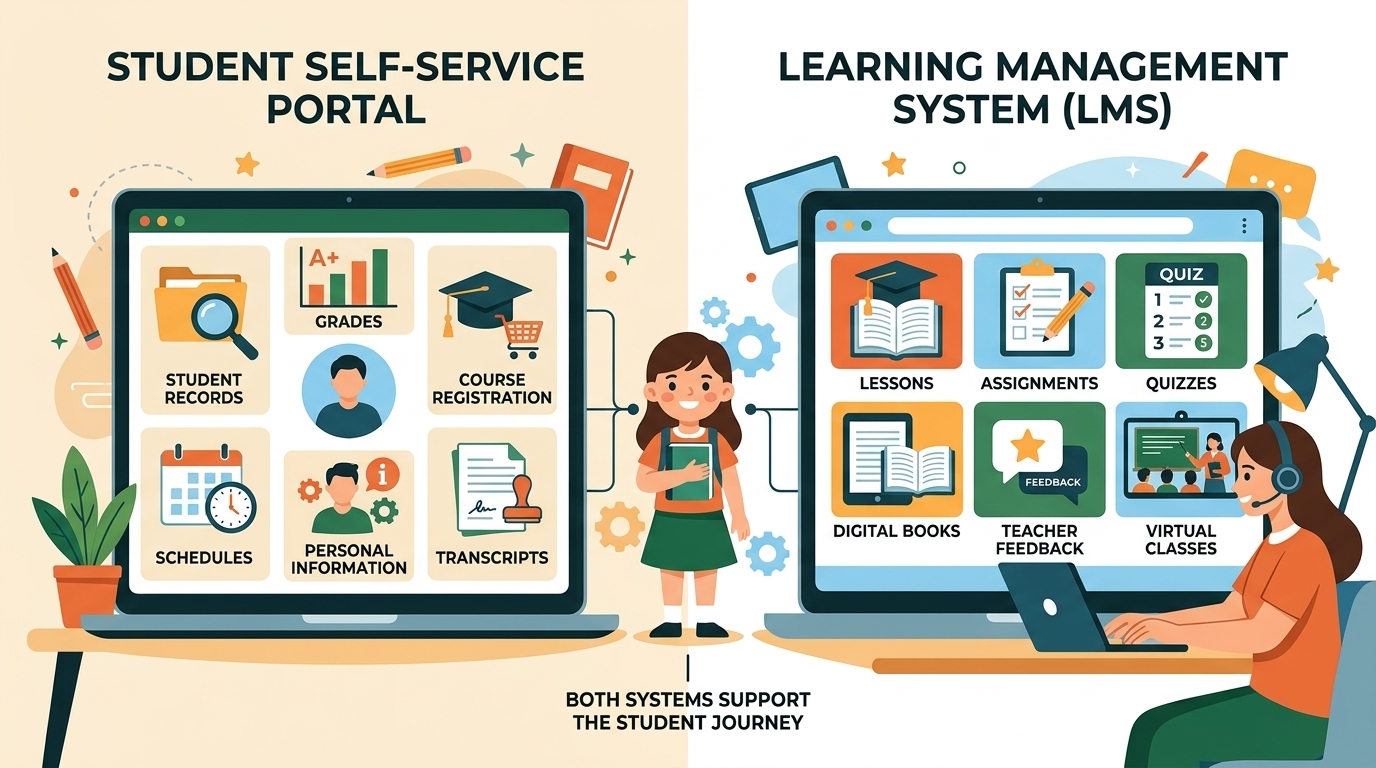
An important point is that a student self-service portal is not necessarily the same as a Learning Management System (LMS).
Both are digital education tools, but they usually serve different purposes.
What Is a Student Self-Service Portal?
A student self-service portal mainly focuses on student records and administrative services.
Examples include:
- Registration.
- Grades and academic records.
- Personal information.
- Enrollment documents.
- Fees and financial information.
What Is a Learning Management System?
A Learning Management System is a digital platform used to organize and deliver learning activities.
Depending on the platform, students may use an LMS to:
- Access lessons.
- Download learning materials.
- Submit assignments.
- Participate in online discussions.
- Complete quizzes.
- Receive feedback.
- Follow course progress.
Key Differences
| Student Self-Service Portal | Learning Management System |
|---|---|
| Focuses on student administration | Focuses on teaching and learning |
| Provides access to student records | Provides access to lessons and course materials |
| May support registration | May support assignment submission |
| May display official grades | May display course grades and feedback |
| Helps manage administrative information | Helps organize learning activities |
Some educational institutions connect these systems or provide access to both through one login.
However, they remain different types of digital services.
11. Common Challenges and Security Considerations
Although student self-service portals provide many benefits, they can also create challenges.
Understanding these issues can help students and institutions use the systems more effectively.
Forgotten Passwords
Students sometimes forget their login details.
Institutions usually provide password recovery instructions or a support service.
Students should use the official recovery process rather than sharing their passwords with other people.
Technical Problems
A portal may occasionally become unavailable because of maintenance, technical errors, or connection problems.
If this happens, students should check the institution’s official announcements and contact its support team when necessary.
Incorrect Student Information
Sometimes a student’s record may contain outdated or incorrect information.
Students should follow the institution’s correction process and contact the appropriate office if they cannot make the change themselves.
Privacy and Data Protection
Student portals may contain personal information, academic records, and other confidential details.
Protecting this information is essential.
Students should follow these basic safety practices:
- Use a strong, unique password.
- Never share login credentials.
- Avoid logging in on unfamiliar or public devices when possible.
- Sign out after using a shared computer.
- Do not share screenshots containing personal student information.
- Check that the website address belongs to the official institution.
- Contact the institution if an account appears to have been accessed by someone else.
Accessibility
A portal should be usable by students with different needs and abilities.
Clear navigation, readable text, keyboard support, and compatibility with assistive technologies can make digital services more accessible.
Educational institutions should consider accessibility when selecting and maintaining their platforms.
Digital Access
Not every student has the same access to a reliable internet connection, computer, or mobile device.
Schools and universities should consider alternative support options for students who cannot easily access online services.
12. How to Use a Student Self-Service Portal
If your school or university provides a student self-service portal, the following general steps can help you get started.
Step 1: Find the Official Portal
Visit your school’s or university’s official website.
Look for links with names such as:
- Student Self-Service.
- Student Portal.
- Student Services.
- Student Information System.
- Student Login.
Do not assume that every website using the words “student self-service” belongs to your institution.
Step 2: Read the Login Instructions
Check the instructions provided by your institution.
You may need a student ID, username, password, or activation code.
Step 3: Sign In Securely
Enter your login details on the official website.
If the institution uses additional verification, follow its instructions.
Step 4: Explore the Dashboard
Once logged in, review the available sections.
You may find academic records, schedules, registration information, personal details, and other services.
Step 5: Check Important Information
Review your available records and look for important announcements or deadlines.
If you notice incorrect information, contact the relevant school or university department.
Step 6: Keep Your Information Updated
Update any permitted personal details when necessary.
Make sure the information you provide is accurate.
Step 7: Log Out
Always sign out after using the portal, especially on a shared device.
Important: These are general instructions. Your institution may use a different login process or provide different services.
13. The Future of Student Self-Service
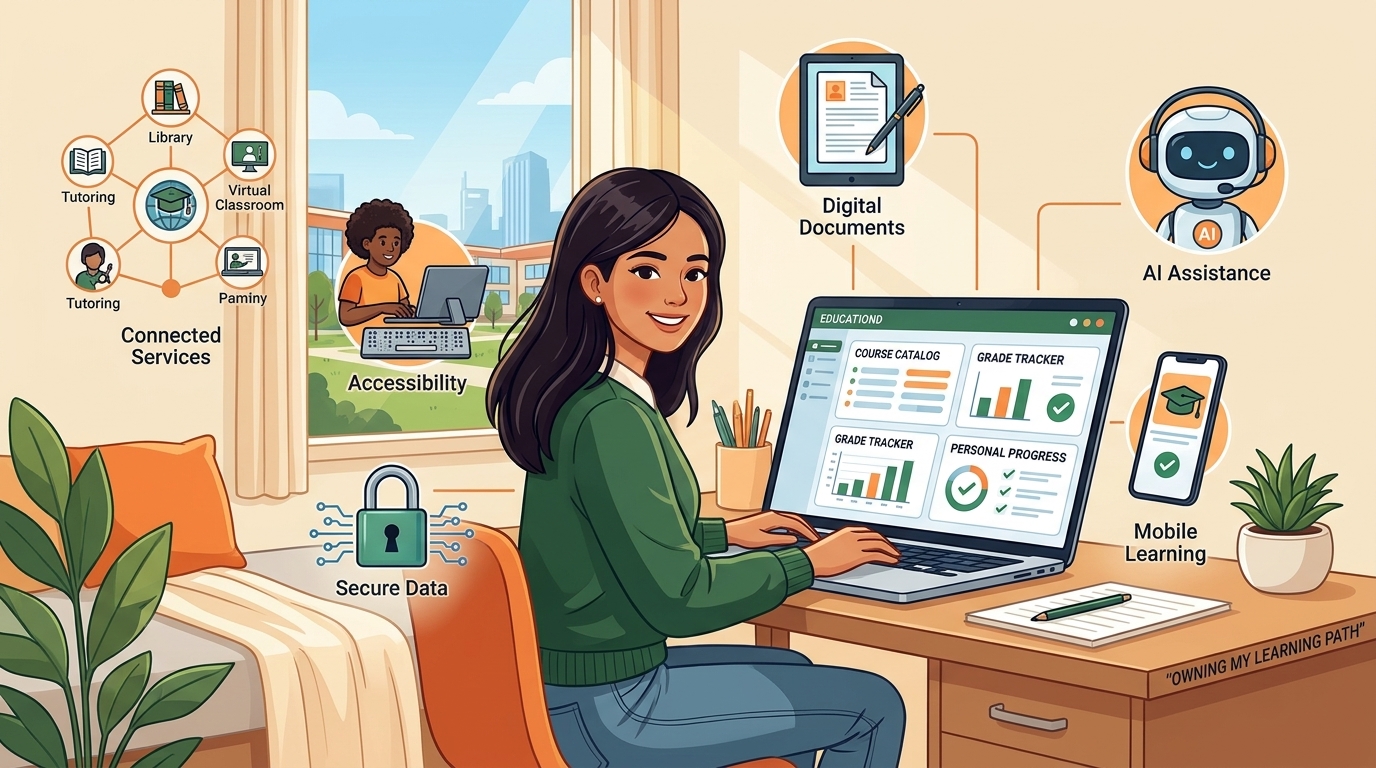
Digital education services continue to develop. Student self-service portals may become more connected, accessible, and convenient as educational institutions improve their technology.
Here are some areas that may shape their future.
1. More Mobile-Friendly Services
Students increasingly use smartphones and tablets to access digital services.
Institutions may continue improving mobile-friendly websites and applications so that students can review information more easily on different devices.
2. Connected Educational Platforms
A student may need several digital services during their education:
- A student information system.
- A learning management system.
- A digital library.
- An online registration platform.
- A communication application.
- A student support service.
Connecting these services can make the overall experience easier to navigate.
3. Artificial Intelligence and Student Support
Artificial intelligence may help educational institutions improve certain support services.
For example, AI-powered tools could help students:
- Find answers to common administrative questions.
- Understand where to locate specific services.
- Navigate support information.
- Receive reminders about relevant tasks.
- Find appropriate institutional guidance.
However, AI tools should not replace official institutional records or decisions.
Students should confirm important academic and administrative information through their institution’s authorized systems.
4. Better Accessibility
Future platforms may offer improved accessibility features, clearer interfaces, and more flexible ways to access information.
This can help make digital services easier to use for a wider range of students.
5. Improved Data Protection
As educational services become more digital, protecting student information remains a major responsibility.
Institutions need appropriate security measures, access controls, and data protection practices.
Students also have a role in protecting their accounts.
6. More Personalized Student Experiences
Some platforms may provide dashboards that organize relevant information according to a student’s academic status, course registration, or available services.
The goal is to make important information easier to find without overwhelming students with unnecessary details.
14. How Students Can Stay Organized Outside Their Portal
A student self-service portal is useful for accessing official information, but it does not always provide everything students need to organize their everyday learning.
For example, a portal may show an examination date, but a student may still need a personal study plan to prepare for it.
A portal may display a class schedule, but students may also want a weekly planner to organize homework and personal activities.
This is where simple learning and organization resources can help.
A. Student Planners
A student planner can help organize:
- Daily tasks.
- Weekly schedules.
- Homework.
- Examination dates.
- Personal goals.
- Study sessions.
B. Study Trackers
A study tracker allows students to record completed learning activities and monitor their progress.
Students can use one for reading, mathematics, language learning, or other subjects.
C. Homework Checklists
A homework checklist provides a simple way to remember assignments and track completed tasks.
It can be especially helpful for students who prefer writing their tasks on paper.
D. Examination Preparation Worksheets
Students can use revision planners and study checklists to organize preparation for upcoming examinations.
These resources do not replace official school information. They complement it by helping students manage their own learning routines.
E. Printable Learning Resources
Printable educational materials can support learning at home and in the classroom.
Examples include:
- Reading worksheets.
- Mathematics practice pages.
- Vocabulary activities.
- Language-learning exercises.
- Study planners.
- Educational games.
- Revision checklists.
At ALITEXTO, we believe that learning should be organized, accessible, and enjoyable.
Our goal is to provide educational resources that support children, students, parents, and teachers in different learning environments.
Whether you use an official student portal or traditional classroom materials, having simple tools to organize learning can make everyday educational activities easier.
15. Frequently Asked Questions About Student Self-Service Portals
What is a Student Self-Service Portal?
A Student Self-Service Portal is an online platform provided by an educational institution. It allows authorized students to access selected academic records, personal information, and administrative services through a secure login.
Is a student self-service portal the same as a student portal?
The terms are sometimes used interchangeably, but they do not always mean exactly the same thing.
A student portal is a broad term for an online platform designed for students. A student self-service portal specifically emphasizes services that students can access or manage themselves.
How do I access my student self-service portal?
Visit your school’s or university’s official website and follow its student portal login instructions. You may need a student ID, username, password, or another authentication method.
Can I check my grades through a student self-service portal?
Many portals allow students to view grades and examination results. However, the available information and publication dates depend on the educational institution.
Can I register for classes through a student self-service portal?
Some universities allow students to register for courses through their portals. Other institutions may require additional approval or use a separate registration system.
Can I update my personal information?
Some portals allow students to update selected details, such as contact information or addresses. Other changes may require assistance from the institution.
Are student self-service portals free?
Students generally access the services provided by their own institution as part of their educational account. However, the institution’s policies determine which services are available and whether any separate fees apply.
Can parents use a student self-service portal?
Some schools provide separate parent or family access. Whether parents can view student information depends on the institution’s system, policies, and access permissions.
Can I access my student portal on my phone?
Many student portals can be accessed through a mobile browser. Some institutions also provide mobile applications. Check your institution’s official instructions for supported devices.
What should I do if I forget my student portal password?
Use the official password recovery process provided by your school or university. If you cannot recover your account, contact the institution’s IT support or student services department.
What should I do if my student portal is not working?
Check your internet connection and the institution’s official announcements. If the problem continues, contact the technical support team.
Is a student self-service portal the same as an LMS?
No. A student self-service portal usually focuses on academic records and administrative services, while a Learning Management System focuses on learning materials, lessons, assignments, and course activities.
Are student self-service portals secure?
Institutions should use appropriate security and privacy measures to protect student information. Students should also protect their login credentials, use official websites, and sign out of shared devices.
Can a student self-service portal replace school administration?
No. It can make some administrative tasks easier, but students may still need staff assistance for approvals, corrections, complex requests, and other services.
Conclusion: Making Education More Accessible Through Digital Services
Student self-service portals have become an important part of the digital education environment.
They give students access to selected academic records, registration services, schedules, personal information, and other administrative tools through online platforms.
For schools and universities, these systems can help organize information, improve access to services, and reduce some routine administrative tasks.
However, a student self-service portal is only one part of the educational experience. Students still need effective teaching, useful learning materials, good study habits, and support from teachers and families.
The best digital education experience combines reliable administrative services with meaningful learning opportunities.
At ALITEXTO, we support that wider learning experience with creative educational resources designed for children, students, parents, and teachers.
Explore ALITEXTO and discover learning resources that make education more organized, creative, and enjoyable.
Learning for Everyone!
